

Plans let you sell memberships, monthly packages and programs, then count every session, stop overbooking, renew payments and let members manage their own plan.
One Feature, Whatever You Call It
Some businesses call it a membership. Others call it a package, a program, a club or a subscription. The idea is the same: a client pays a set amount each month, and that fee includes a number of sessions or hours.
In Bizstim, that is a plan. You name it what your clients already know it as: "Tutoring Starter", "Junior Swim Club", "Weekly Coaching", "Studio Hours". Bizstim takes care of the rest.

The Spreadsheet You Stop Keeping
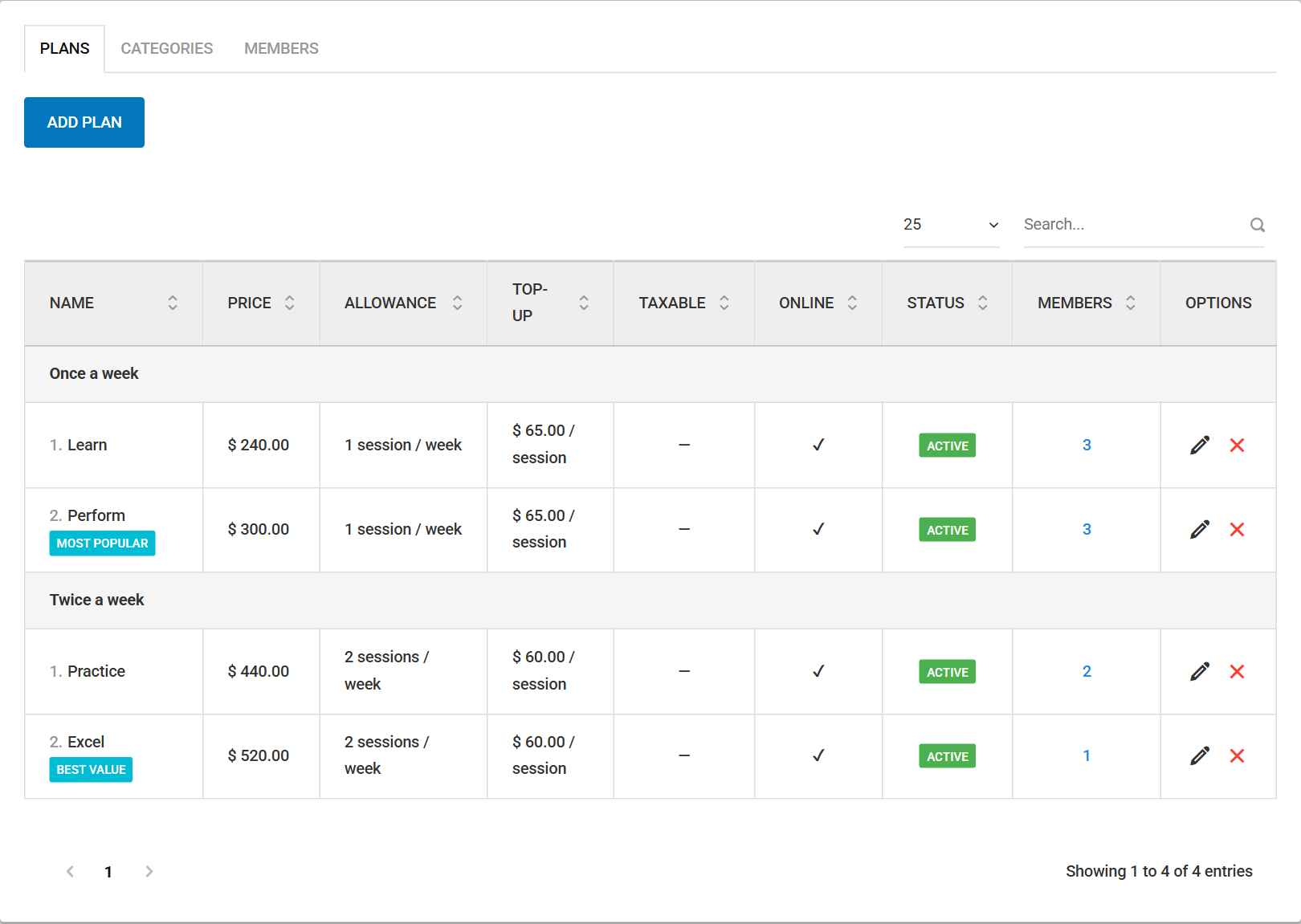
If you sell monthly packages today, you probably keep track somewhere else. A spreadsheet of who has how many sessions left. A calendar reminder to charge renewals. A note to chase the card that bounced. A conversation with a parent who is sure they had one more lesson this month.
Plans moves all of that into the place you already book and bill. Every number is worked out from the bookings themselves, so the count is always current and the same for you, your staff and your clients.
It Enforces the Rules for You
Each plan has an allowance: so many sessions, or so many hours, every week or every month.
- Sessions or hours. Count each booking as one, or count its length, so a 90-minute lesson uses 1.5 hours.
- The allowance refills on its own. Weekly plans reset every Monday. Monthly plans reset on each member's renewal date. Unused allowance expires with the period, just like a gym month.
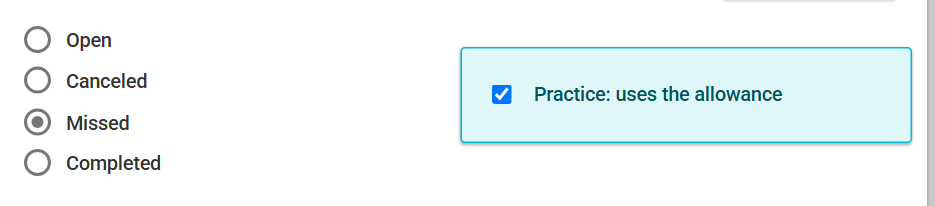
- Missed and cancelled sessions follow your policy. Decide on the plan whether a missed session uses the allowance (on by default) and whether a cancelled one does. Override it for one member, or for one session with a single tick box.
- No overbooking. When a client, a parent or a practitioner tries to book past what is left, Bizstim stops the booking and says why. You and your staff can still book, with a warning, for make-up sessions and favours.
- Repeating bookings are checked date by date. A weekly series or a group course is checked on every date, and the message names the date that doesn't fit.
- Top-ups. Set a top-up price and members can buy 1 to 5 extra sessions or hours for the current period. Leave it at 0 and extra sessions are charged at your normal rate.
- Your office hears first. When a member has one session left, and again when they have none, your office gets an e-mail and a dashboard to-do. That is the moment to suggest a top-up or an upgrade.

Renewals Run Themselves
Every morning Bizstim renews the plans that are due.
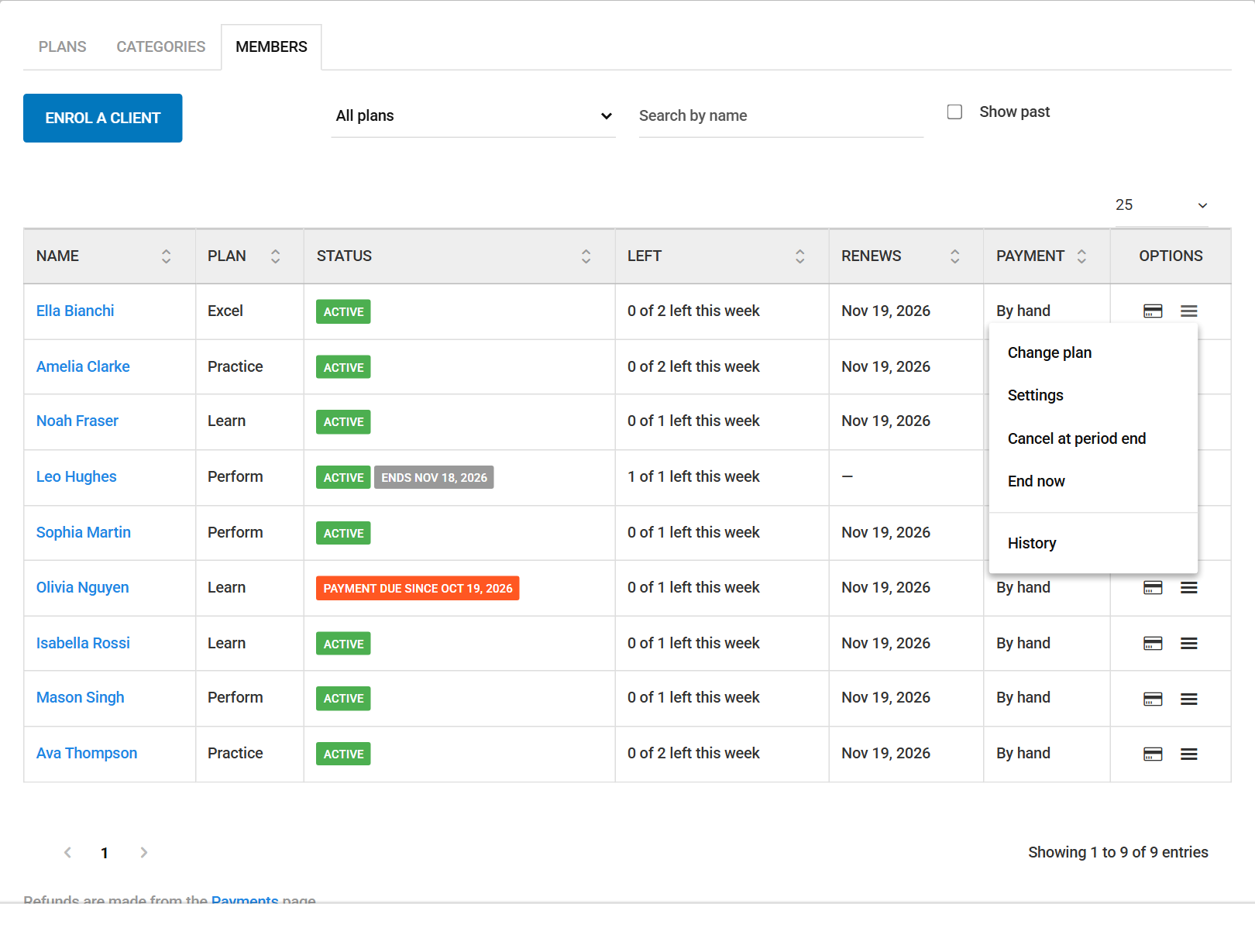
- Card members are charged automatically. If a card fails, the member is asked to update it, your office gets a to-do with the bank's reason, and Bizstim tries the card again once a day, up to 3 more times.
- Members who pay by hand move to Payment due, and your office gets a to-do to collect.
- Grace days let a member keep booking for a few days while a payment is sorted out. After that, booking pauses until the payment is in.
- Change a price without surprises. A new price applies from each member's next renewal, never part way through a period they have already paid for.
- Every payment you record, from any page, is matched to the member's plan charges automatically, and the plan goes back to Active once it is paid.

Members Serve Themselves
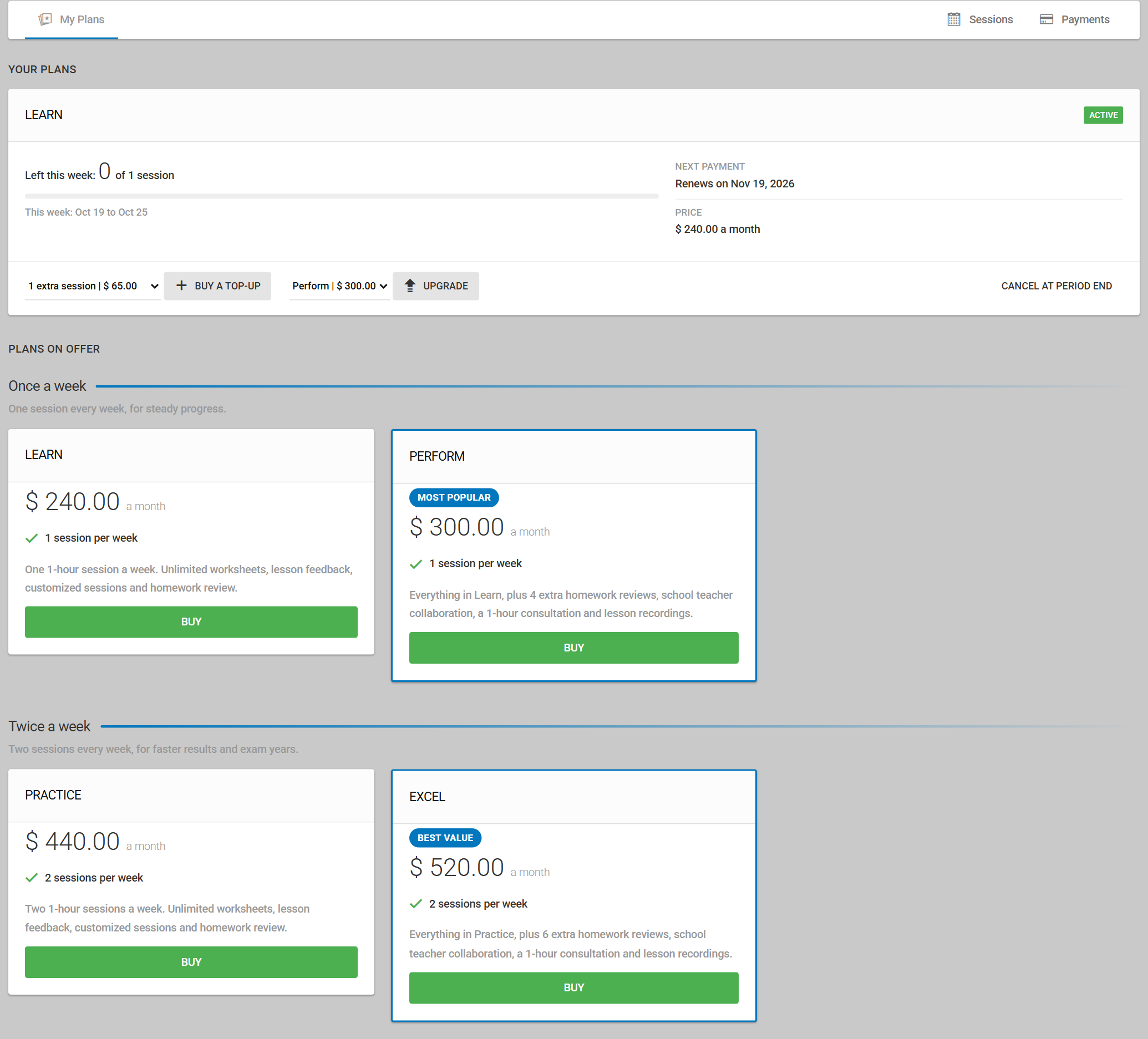
Members see their plans on the My Plans page of their portal: what is left this week or period, the next payment date and the monthly price.
If you take card payments online, they can also:
- Buy a plan from your plans on offer.
- Upgrade to a bigger plan. It starts right away, and they pay only the difference for the days left.
- Buy a top-up when they run out.
- Cancel at the end of the period. The plan works until the paid period ends, then stops with no renewal charge.
Downgrades are handled by your office and take effect at renewal, so a member never loses what they have paid for.
Sell Plans from Your Branded Page
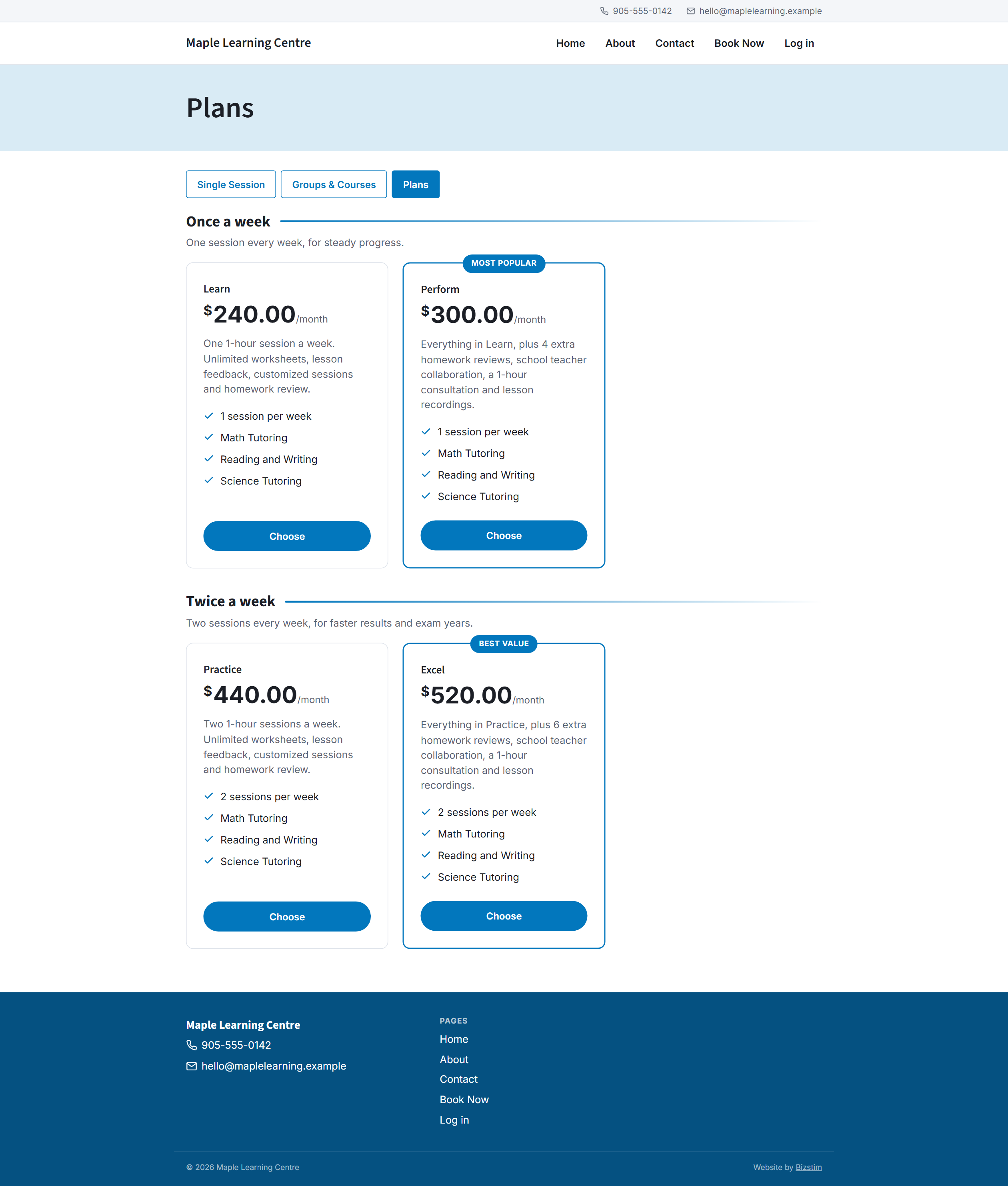
Your Bizstim booking pages can carry a Plans page. Visitors see your plans as cards, grouped under your own headings, with a "Most popular" or "Best value" label where you want one.
- Existing clients log in and pay by card.
- Parents log in and choose which child the plan is for.
- New customers can create an account and pay, if your booking settings allow new accounts.
- Guests can send a request, and your office gets a to-do to follow up.
Discount codes work on the payment page, and the plan starts the moment the payment goes through. The Plans page sits next to your single sessions, groups and courses, so one branded site sells all of it.
Predictable Monthly Income
A plan turns one-off bookings into a monthly fee that arrives on the same day each month. You know what is coming in before the month starts, clients book more steadily because the sessions are already paid for, and the time you spent on reminders and chasing goes back into teaching.
Not Just Tutoring
Plans work for any business that sells sessions on a monthly basis. A few examples:
- Music school: "Piano Monthly", $160 a month, 4 lessons a month.
- Martial arts or dance studio: "Two a Week", $120 a month, 2 classes every week, group classes included.
- Yoga or fitness studio: "8-Class Pass", 8 classes a month, extra classes as top-ups.
- Swim school: "Junior Swim Club", 1 lesson every week, renews monthly.
- Driving school: "Learner Plan", 4 hours a month, counted by the hour.
- Language school: "Conversation Club", 2 sessions a week.
- Coaching and therapy practices: "Monthly Support", 2 sessions a month, with your own rules for missed appointments.
How the Others Compare
We looked at what the best-known tutoring platforms say about their own features (October 2026).
| Feature | Bizstim Plans | Teachworks | TutorCruncher | TutorBird |
|---|---|---|---|---|
| Allowance that refills every week or month | Yes | No | No | No |
| Renews and charges itself | Yes | No | No | No |
| Stops overbooking | YesBuilt in | Paid add-on | No | No |
| Members upgrade or cancel themselves | Yes | No | No | No |
| Sell plans from your branded page | Yes | No | No | No |
| Included on | Every plan, including the free Individual plan | Add-ons on every plan | Subscriptions on Enterprise only, from $240 a month | Packages in beta |
Teachworks comes closest. Its packages track lessons or hours, and add-ons can block bookings, send low-balance alerts, take a purchase from an e-mail link and retry invoices. A package is still a one-off block, topped up with a new invoice, not a plan that renews itself.
TutorCruncher packages add credit to a client's account. Its subscriptions are on the Enterprise plan only, charge a flat monthly amount with no session count, and still need invoices raised by hand.
TutorBird began beta testing lesson packages in August 2026. Their own pages describe tracking package time and showing the balance in the portal.
Bizstim is the only one with plans that refill and renew themselves, on every plan from Trial up, and the only one whose branded pages sell plans alongside your sessions and services. For the full picture, see Bizstim vs TutorBird and Bizstim vs TutorCruncher.
Get Started
Open Account Methods, then Plans, in your Bizstim account. Make a category, add your first plan, and read the "This plan, in words" summary before you save. It writes the plan out in plain sentences, so you can see exactly what your members will get.
For every setting and rule, see the Plans topic in the Help Center, or download the complete guide: Plans: The Complete Guide (PDF).
Used subscription services before? Plans replace them. Chapter 16 of the guide shows how to move your subscribers. Not a Bizstim user yet? Compare the plans and start free.



There are no comments yet. Be the first to leave one.