Bizstim is always improving, and every change has the same goal: happier clients and a more profitable business for you.
Over the last few weeks we shipped a set of updates that all sit on one path, the one a new client takes from finding you online to sitting down for their first session.
Every step on that path is a chance to win the booking or lose it. Here is what changed at each step.
Your Website, at Your Own Address
The path starts when someone finds you. Last month we introduced the Website Builder and Blog, a business website built from the services, team and reviews already in your Bizstim account. Two things are new.
Individual + Website, $9.99 a month. Working on your own? The Individual + Website plan publishes your website for $9.99 a month. The free Individual plan can still build and preview the site, so you can see exactly what you are getting before you go live.
Bring your own domain. If you already own a domain such as www.yourbusiness.com, you can now put your Bizstim website on it. Add one record at your domain provider, enter the domain on your Website page, and we take care of the rest. The secure (https) certificate is issued and renewed for you automatically, so visitors see the padlock without you ever touching a certificate. Your Website page shows the domain as Pending while it is being set up and Active once it is connected.
Your own domain comes with Individual + Website, is $9.99 a month on Small Business, and is included on Enterprise.
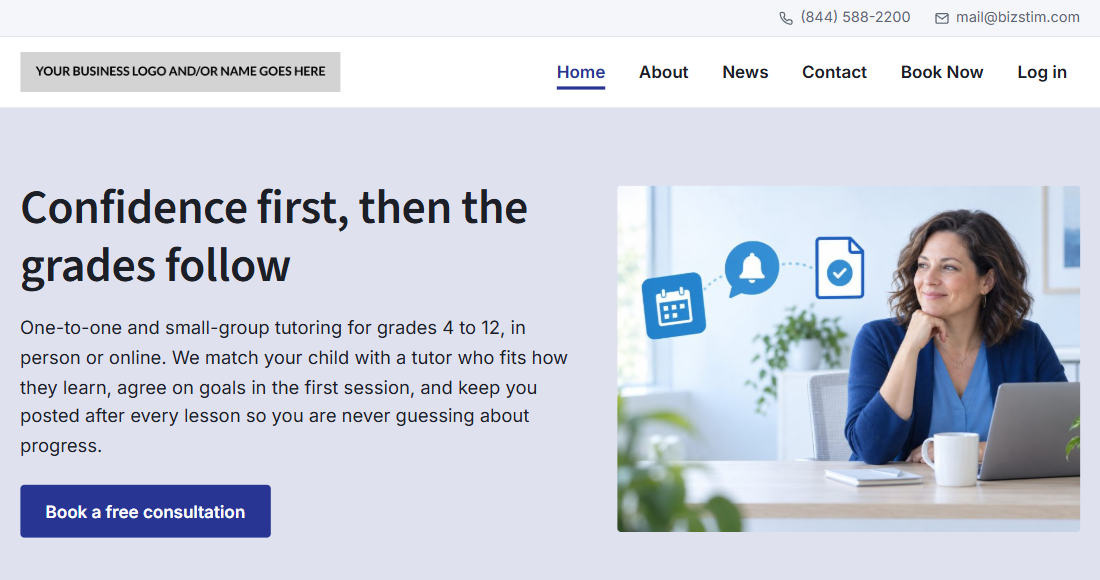

A visitor who likes what they see should never have to hunt for a way to book. When online booking is on, your website's menu now shows a Book Now link, placed right before Log in.
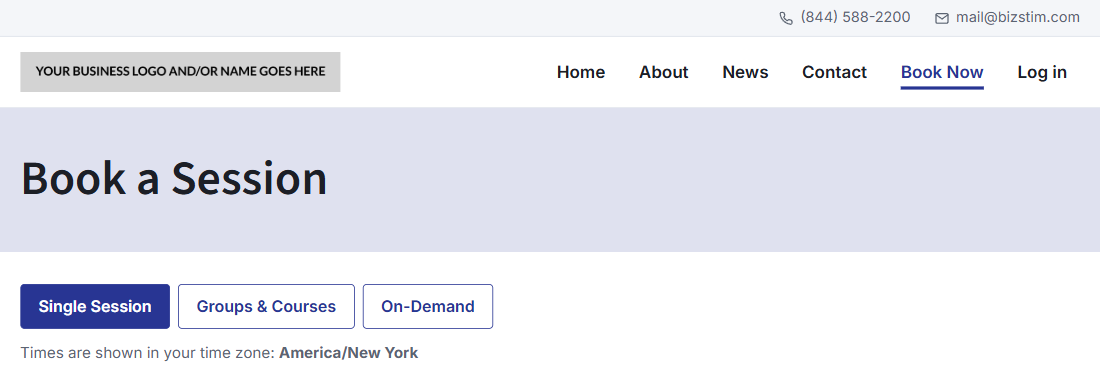
Book Now opens your booking page, and from there your clients can switch between single sessions, Groups & Courses and On-Demand with one tap. Only the booking types you offer are shown.
The booking pages also wear your website's own menu and footer while your site is published. Your client moves from your home page to your booking page without the feeling of being sent somewhere else. It looks like one site, because to your client it is one site.

Redesigned Pages, from Booking to Payment
Every page your clients see on the way to a session has been redesigned, with a cleaner, modern look that works just as well on a phone as on a laptop.
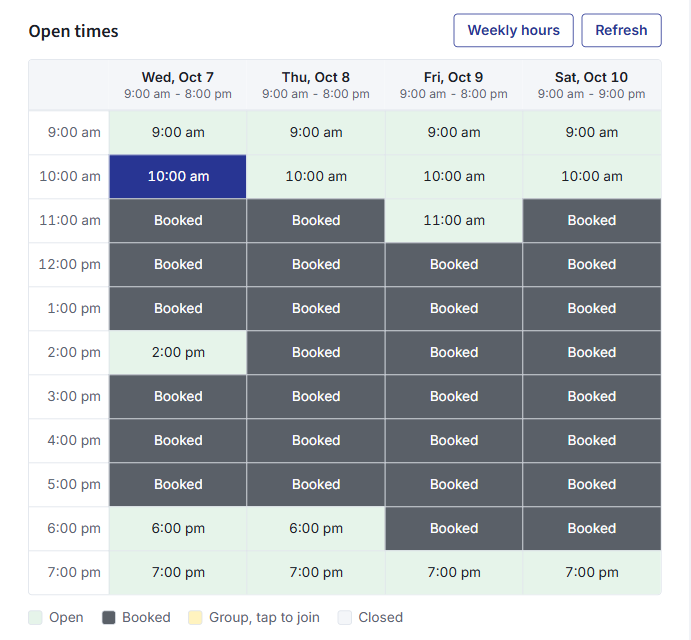
Picking a time takes one tap. The single booking calendar used to ask clients to drag across the calendar to choose a time. Now each open time is its own block. Tap a block to pick it, tap the next block to make the session longer, tap again to clear it. Times already taken cannot be picked.
Groups and courses on one page. Group details used to open in a pop-up window. Now they open right on the page: tap a group to see its description, who leads it and its session dates, and tap again to close it. On a phone this is far easier to read and use. A full group offers the waiting list, and a closed group tells the visitor why.
Times in your client's own time zone. The booking pages now read the time zone from your client's own device, so nobody has to choose one from a list.
Paying and checking in. The payment, Quick Pay and Secure Pay pages, the session status page, the inquiry form and the login page all share the same new design. A client who books, pays and comes back to check their session sees one consistent, professional brand from start to finish: yours.

Also New
Room Availability. Running more than one room? The new Room Availability page shows one day at a time, with a column for each room and every session placed in its time slot. Two sessions booked into the same room at the same time are flagged in red, so you catch a double booking before your clients do. Filter by location if you have more than one. You will find it in the sidebar on both the admin and staff sides.
Turn Quick Pay and Secure Pay off. Quick Pay and Secure Pay let clients pay an invoice from a link without logging in. Some businesses prefer every payment to go through the client's login. A new setting on your Stripe page lets you switch both off; when they are off, the pay buttons on your invoices go to your login page instead.
Ready to try it? Log in to Bizstim and open your Website page to publish your site or connect your domain. Not a Bizstim user yet? Compare the plans and see the whole path for yourself.



Which step loses you the most new clients: being found online, booking a time, or paying?