

Out with the old text editor and in with the new text editor. The new text editor has a full screen option.

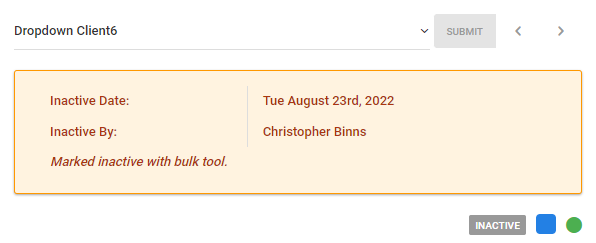
An inactive tracking feature was added. It records the the date made inactive, reason for the change of status and the user's name who made the change is stored and shown on the client view page
You can now filter sessions on the calendar via a service
The calendar filter options for locations, services, and session status is now a multi-select and this means you can select any combination of options from these categories. For example, if you want to see those sessions for two of your locations at once you have that option. You no longer have to view all or one of these options at a time. This will make the calendar much more dynamic and revealing.

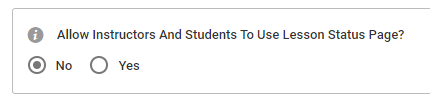
An account system setting was added to enable/disable the check session status page for your practitioners and clients. If you do not want them to use this feature, where there is a real-time chat tool, you can prevent these users from accessing it all together.
To enable/disable the check session status page go to: SETTINGS > SETTINGS > SYSTEM > SESSION CONTROL > Scroll down to: "Allow Instructors And Students To Use Lesson Status Page?"
New Report Added: there is a new practitioner/tutor services report available. This report will show each practitioner's services rendered for a given time interval and display the total hours and wage pay for that period.
You can locate this report at: ACCOUNTING > RATES &REPORT > REPORTING > "Practitioner Services" tab. Where you see practitioner your word translation for the word will be present. For example, practitioner may be tutor, instructor, coach, therapist etc.

FIX: calendar overview page for staff users was not updating the pie chart when a different month was selected.
If you have any questions, please contact support at mail@bizstim.com.
Sincerely,
The Bizstim Team
