

We've added the ability to assign services to custom completion types. This means you can have different custom completion types with different cost and wage modifiers and the software will only show the appropriate custom completion type on the session complete/save page based on the service selected.
This new option will help reduce user error; users will not be allowed to select an incorrect session completion type, since those options will only be shown where applicable.
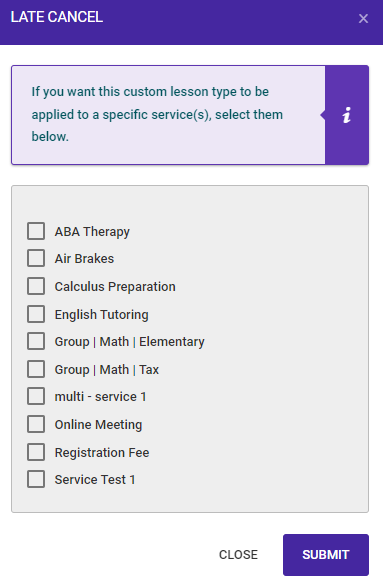
If no services are selected, as seen in the image above, all custom completion types will be shown on the session complete/save page. If you do not want to use this new feature no additional actions are required.
If you want to use this feature, you must select those services associated with the custom completion type.
To update your settings go to: SETTINGS > SETTINGS > CALENDAR / SESSIONS > Custom Session Status tab > Click on the SERVICES ICON from the OPTION column.

If you have any questions, please contact support at mail@bizstim.com.
Sincerely,
The Bizstim Team
